


Choose language
Visma's colours palette

Primary colours

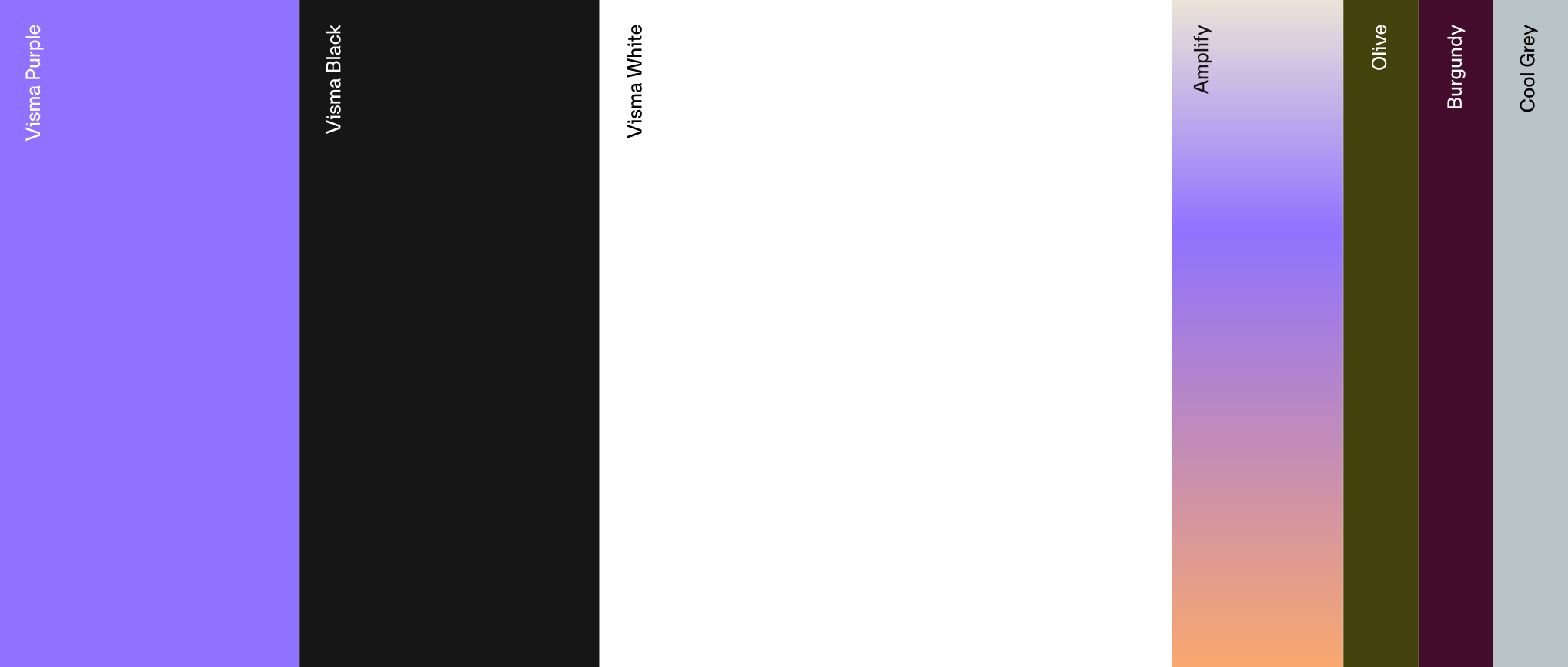
The primary palette defines the core of the Visma brand. It is built on white as the dominant base, supported by Visma Purple as the key brand colour and Visma Black for contrast and structure.
Use the primary palette for all core brand applications.

Visma Purple

HEX: #7F56FA

RGB: 127. 86. 250

CMYK: 66. 70. 0. 0

PANTONE: 2725 C

White

HEX: #FEFEFE

RGB: 254. 254. 254

CMYK: 0. 0. 0. 0

Black

HEX: #131313

RGB: 19. 19. 19

CMYK: 0. 0. 0. 100

Amplify gradient

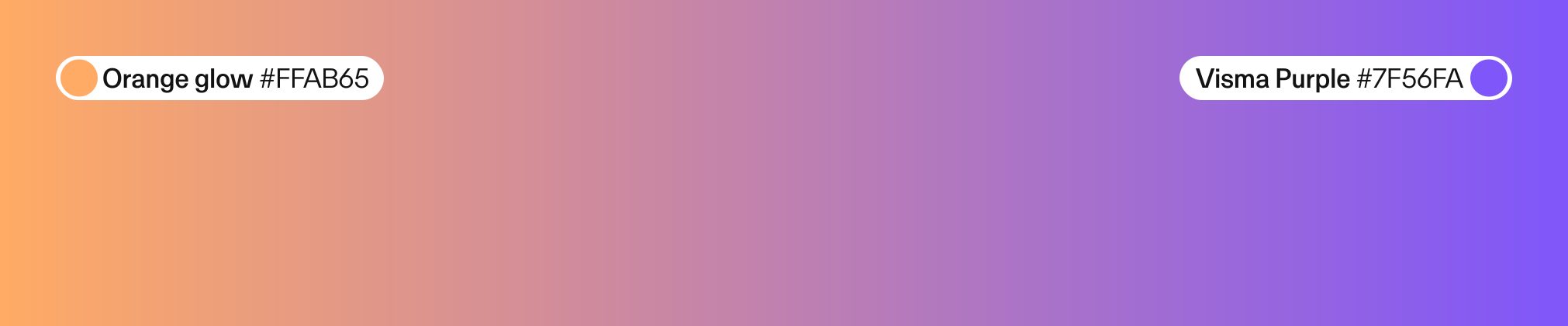
The gradient, Amplify, is a key expression of the Visma brand. It represents how Visma extends energy outward, creating momentum while strengthening what already exists. Introducing movement, depth and variation, it shifts between purple and warmer tones.

Use Amplify with intent. It belongs on key surfaces such as covers, highlights and brand moments, where it lifts a message rather than fills a space. It should complement the primary palette, not replace it. Balance with white space to maintain clarity and control.
As the name says, use it to amplify.

Amplify gradient demo
In use examples
color-use-example_01-v2

Positive

color-use-example_02-v2
color-use-example_03-v2

Secondary colours

The secondary palette adds flexibility to the Visma colour system. It supports hierarchy, variation and selected functional needs, while the primary palette remains dominant.
Use these colours in a controlled way to complement the core identity, not compete with it.Use the primary palette for all core brand applications.

Olive

HEX: #4A4608

CMYK: 57. 50. 100. 47

Burgundy

HEX: #4C0C32

CMYK: 53. 95. 45. 45

Creme

HEX: #F9F5F1

CMYK: 1. 2. 3. 0

Cool Grey

HEX: #B9C4C9

CMYK: 20. 10. 10. 05

Cool Grey Light

HEX: #E7EBEC

CMYK: 2. 2. 5. 0

Color use

Use colour combinations with clear contrast and intentional hierarchy. Avoid pairings that reduce readability, create visual noise or weaken the brand expression. Always check that type, logos and graphic elements remain clear on the chosen background.
colours-do_example-01

Use white on purple background

colours-dont_example-01

Do not use black on purple background

colours-dont_example-02

Do not set light type against a light colour

colours-dont_example-03

Do not set dark type against a dark colour

colours-dont_example-04

Do not set coloured type against a colour background

colours-dont_example-05

Do not set coloured type against a gradient background

Gradient segments

The Amplify gradient can be used in full or as selected segments to create different levels of intensity. By isolating parts of the gradient, the expression can shift from subtle and soft to more vibrant and expressive. This allows for flexibility while maintaining a consistent visual language. Use softer sections for backgrounds and functional surfaces, and more saturated areas for emphasis and key moments. Always ensure sufficient contrast and balance with white space.

Visma gradient spectrum

Example of purple gradient

Purple gradient

Example of amplify gradient

Amplify gradient

Example of orange gradient

Orange gradient

Gradient Variations

The gradient is not limited to linear use. It can be applied in different directions and compositions to create variation and depth. Maintain control, balance and a clear connection to the core palette.
colours-gradient-variation_01

Linear

colours-gradient-variation_02-v2

Organic